
Plantbo
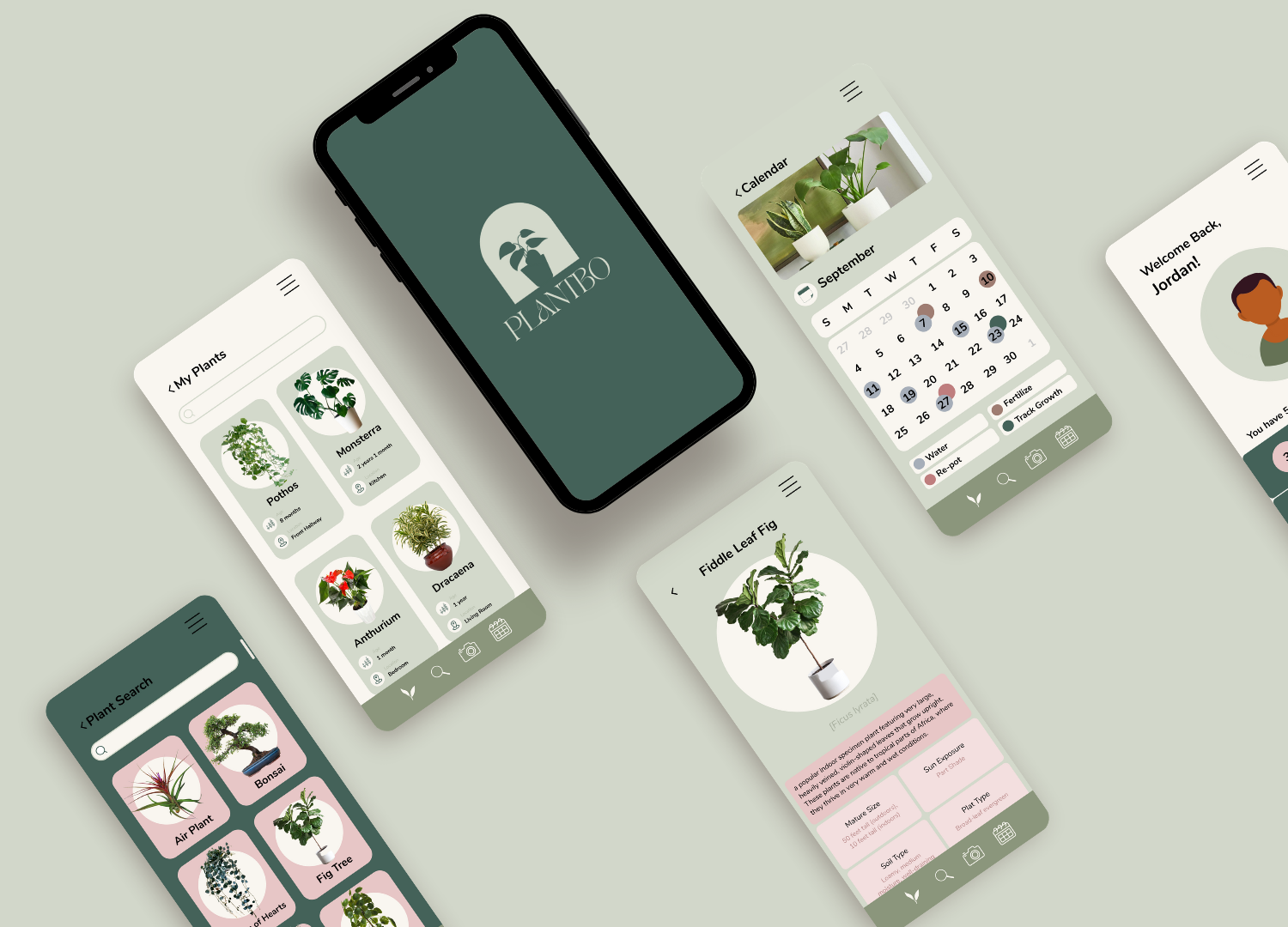
a mobile application helping both beginners and plant lovers alike to best care for the plants they own
The Problem
Plant care can be confusing. Should your fiddle leaf fig tree be placed in direct or indirect sunlight? Did you water your Monstera yesterday or were you supposed to water it today? You woke up and discovered a new yellow leaf sprouting out of the side of your Pothos…what does it mean? So many plant questions and so many answers … but these answers are sprawled all cross the internet. How can we best guide plant parents to feel comfortable and enjoy caring for the plants they own? How can we curate an experience that allows them to have all the information they need all in one place?
Objectives
Design a mobile application that allows for well-curated, informative, and enjoyable guidance about how to best care for and learn more about the plants people own.
Design a logo and Brand Identity that aligns with the apps brand value
Scope
Mobile Application Design, Branding
Tools
Figma, Adobe Illustrator, InVision
Role
User Research, Prototyping, UX/UI Design
Team
Self-directed design challenge (with feedback from mentors & peers)
Duration
6 weeks
The Process
Initial Research/Problem Validation
Whose problem needs solving?
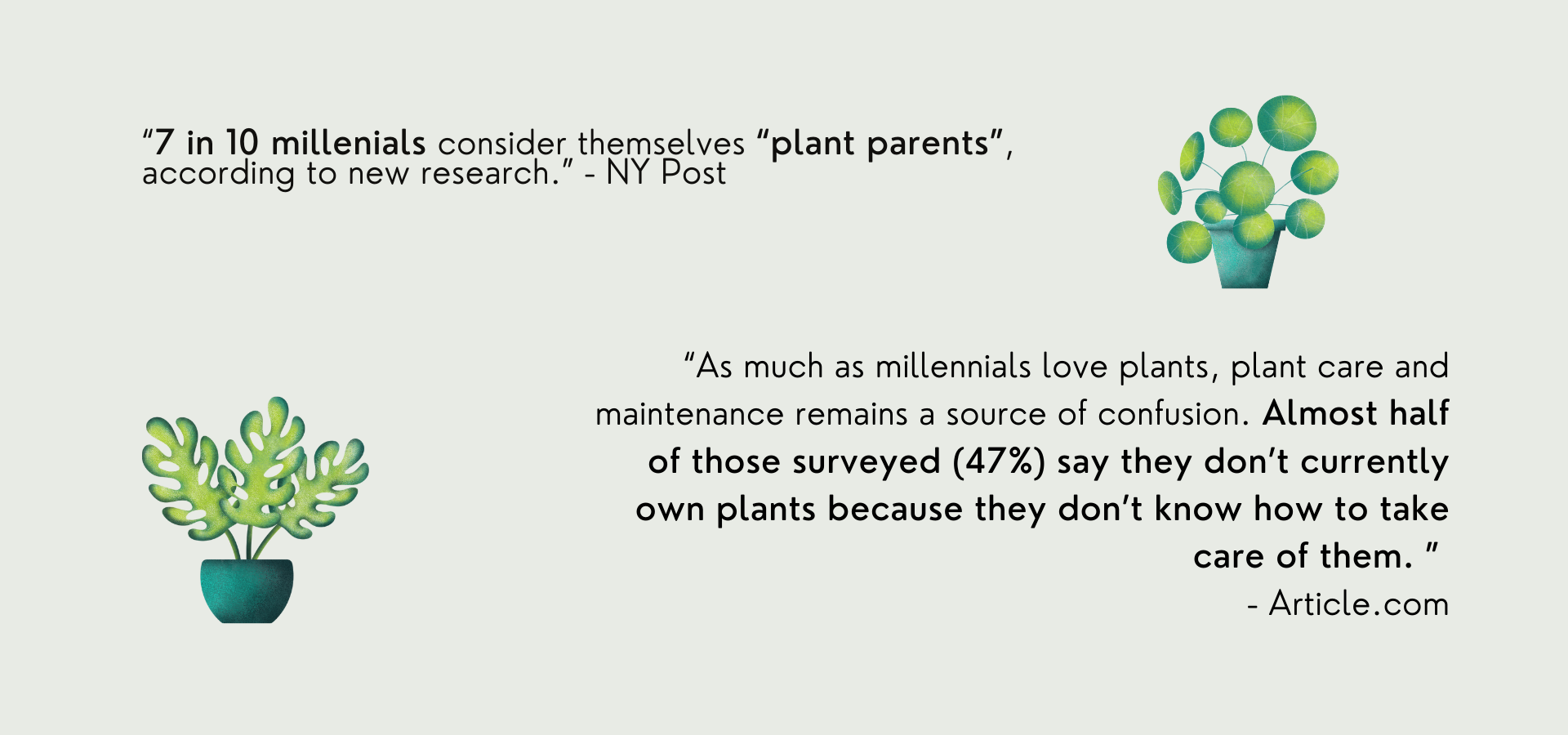
The recent National Gardening Survey states that “18 to 34-year-olds now occupy 29% of all gardening households.” On average, millennials have killed seven houseplants that they’ve brought home. Some anxieties surrounding plant care include making sure they have enough sunlight (60%), ensuring they have enough water (56%), keeping them alive (48%), and stressing out the plant(s) when they move them (37%). Millennials continue to be one of the most active mobile app users in the world, and having a clean, simple app helps them to care for their plants through features like progress tracking, engaging notifications, interactive searches and a plant identification tool will make plant parenting significantly less intimidating.
Research Methods
What methods of UX research will I use to help drive clarity and focus to my solution, and why?
01 — User Interviews
I began by conducting 15 informal user interviews via Zoom with post secondary students from various schools in Toronto. The goal of these interviews was to gain an in-depth perspective from students between the ages of 18-24 — I wanted to figure out if they own plants (and if so, how many), what their existing pain points or concerns are surrounding the plants they own or are looking to own, how they currently track plant care and growth, and how my design could make this experience as a whole easier and more enjoyable. I followed with an affinity diagram built from these responses to draw initial conclusions and create survey questions.
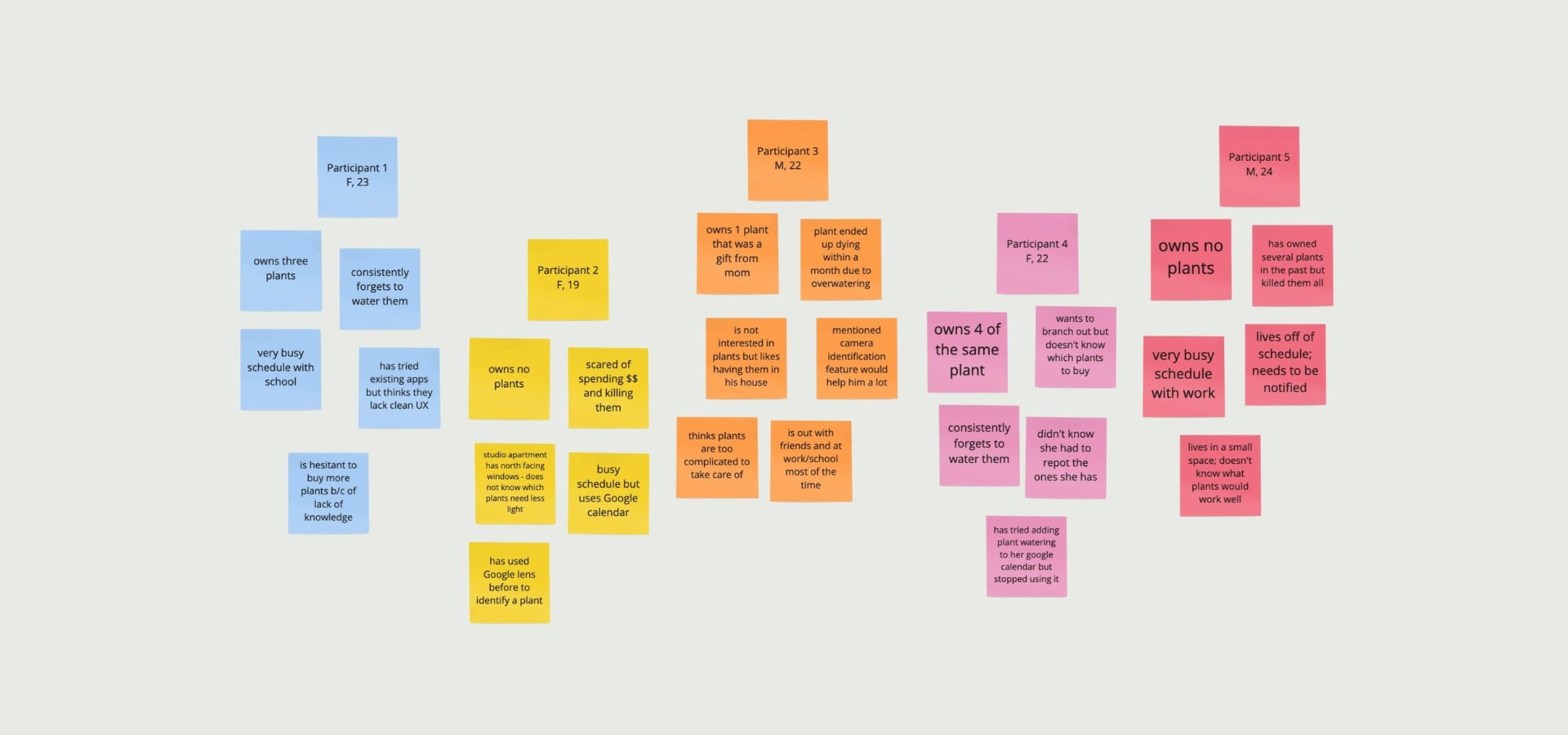
Many interviewees explained that they find owning plants challenging because of a lack knowledge surrounding the types of plants they have and the best ways to fit plant care into their busy schedules.
02 — User Surveys
This problem was further validated with 54 survey responses. Over 80% of respondents report that they could better care for the plants they owned if the information about each plant was organized in one place.
Key Interview Insights
Create an guided experience that is informative, organized, and easy to integrate into busy schedules
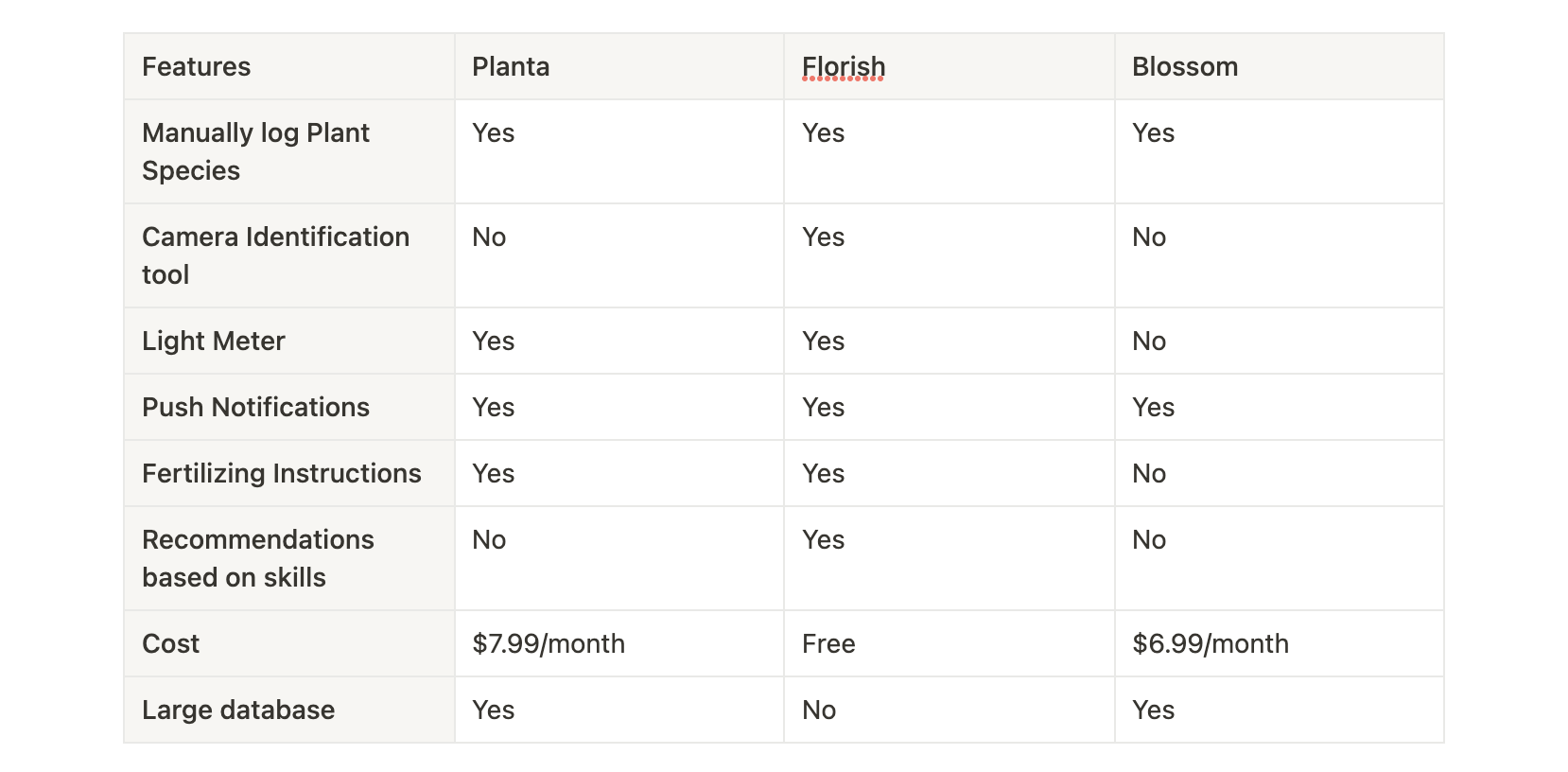
Camera Identification tool will save time by automatically identifying plants instead of manually scrolling through hundreds of species to find the correct one
Being able to keep track of multiple plants is necessary
Notifications and having the option to seamlessly link schedule to existing calendar(s) is needed
Short and concise sentences about each plant is just the right amount of information
After the interviews, I conducted a Competitive Analysis to gain a better understanding of the current market offerings:
Research Conclusions
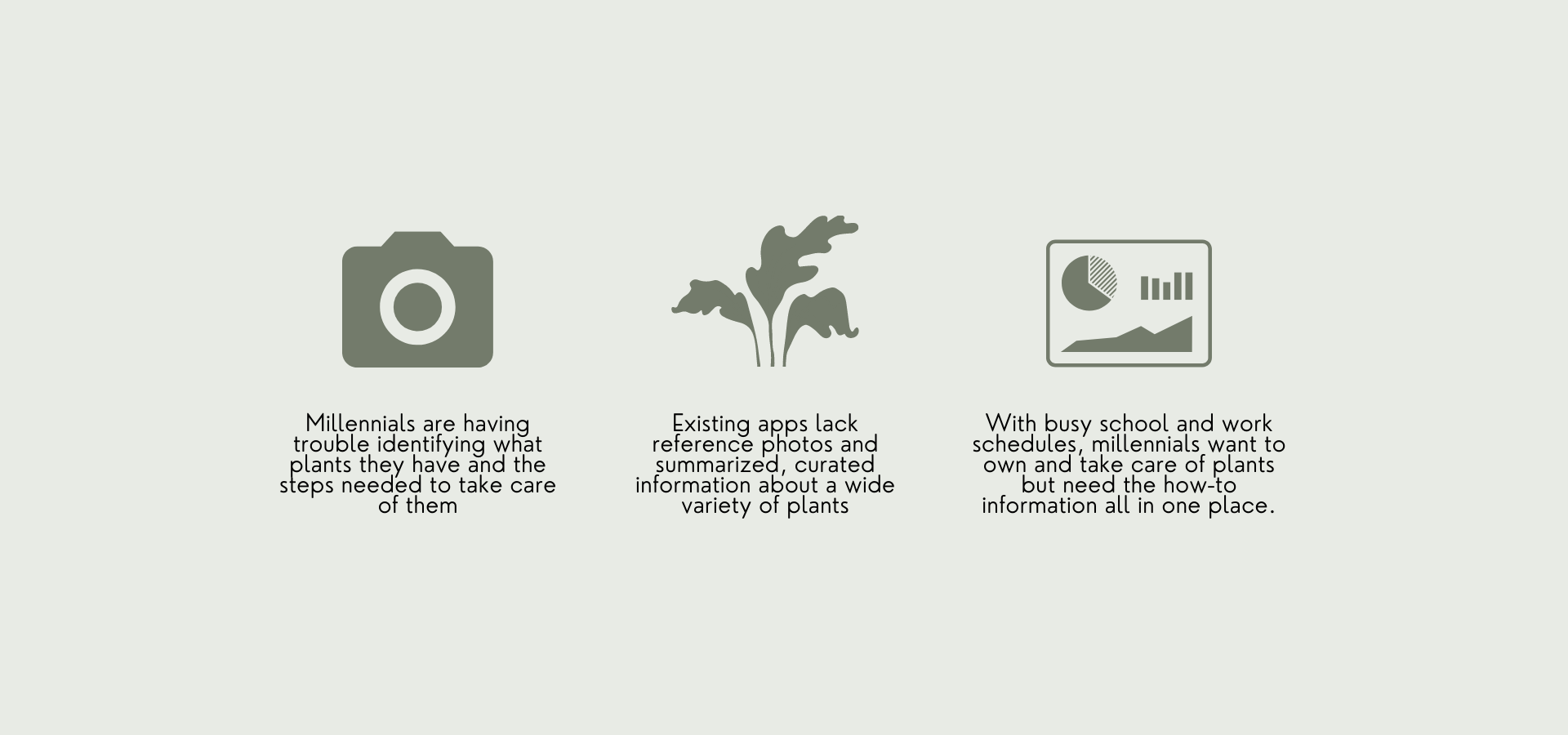
Based off the interviews and the competitive analysis I conducted, I narrowed down the insights into 3 basic user needs I wanted to address:
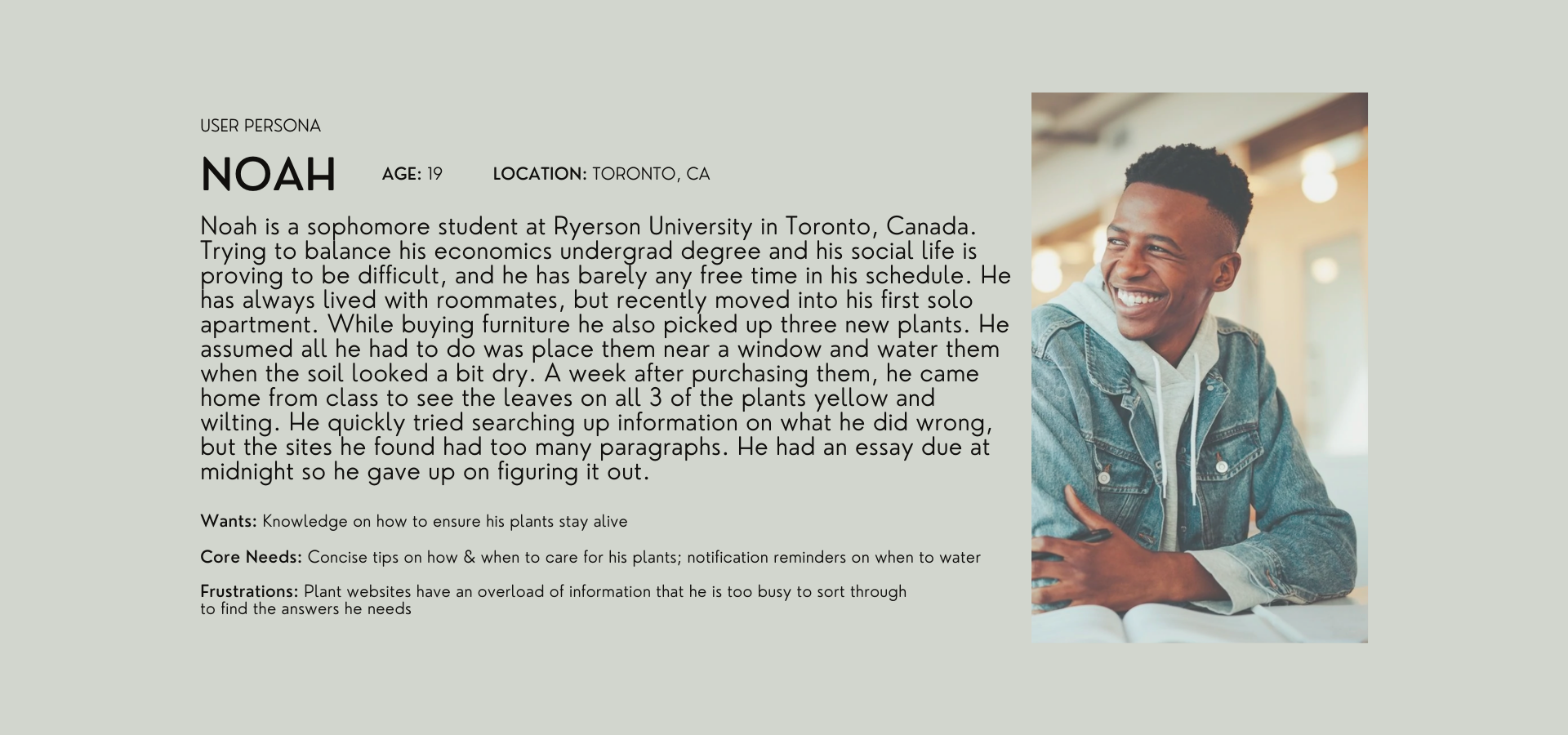
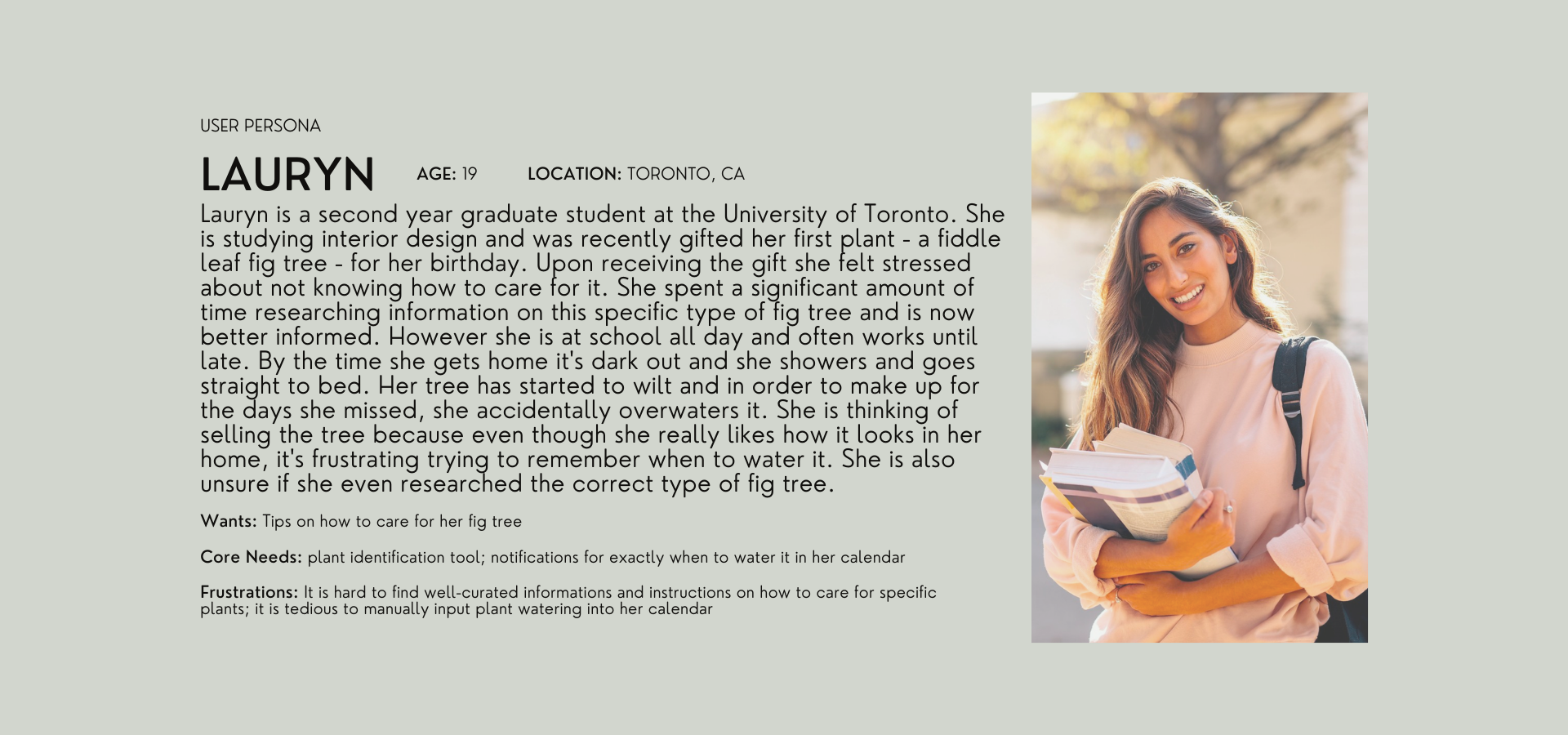
From there, I created two Persona's, a user journey, and eventually developed out the final product, Plantbo.
Problem/Opportunity Spaces
How am I going to address the problem spaces in my designs?
Problem Space 1: Millennials are having trouble identifying what plants they have and what steps are needed to take care of them.
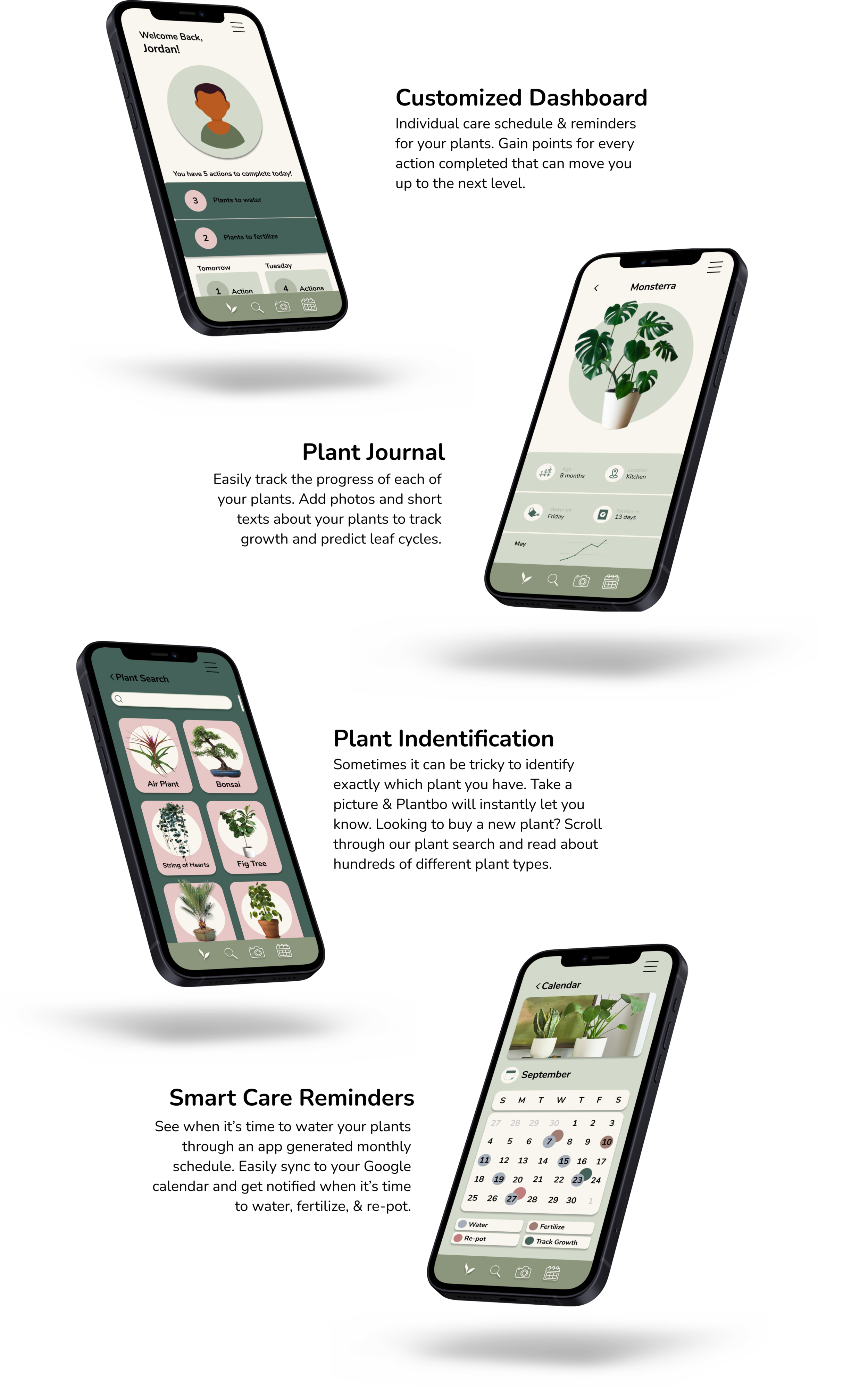
Will introduce a camera plant identification tool will allow users to access information about each of the plants they own in seconds
Problem Space 2: Existing apps lack reference photos and summarized, curated information about a wide variety of plants
Will include a plant growth tracking system with detailed reference visuals will allow users to cross reference the state of their plants to the information provided on the app
Problem Space 3: With busy school and work schedules, millennials want to own and take care of plants but need the how-to information all in one place.
App homepage will be a customized dashboard equipped with personalized greetings, engaging reminders, an action and reward system, clean visuals, and seamless push notifications will make it easier for users to access information all in one place.
The Solution
Design a mobile application that will help users to care for their plants through features including progress tracking, engaging notifications, interactive searches and a plant identification tool, to make owning and caring for a plant less intimidating, seamless, and fun.
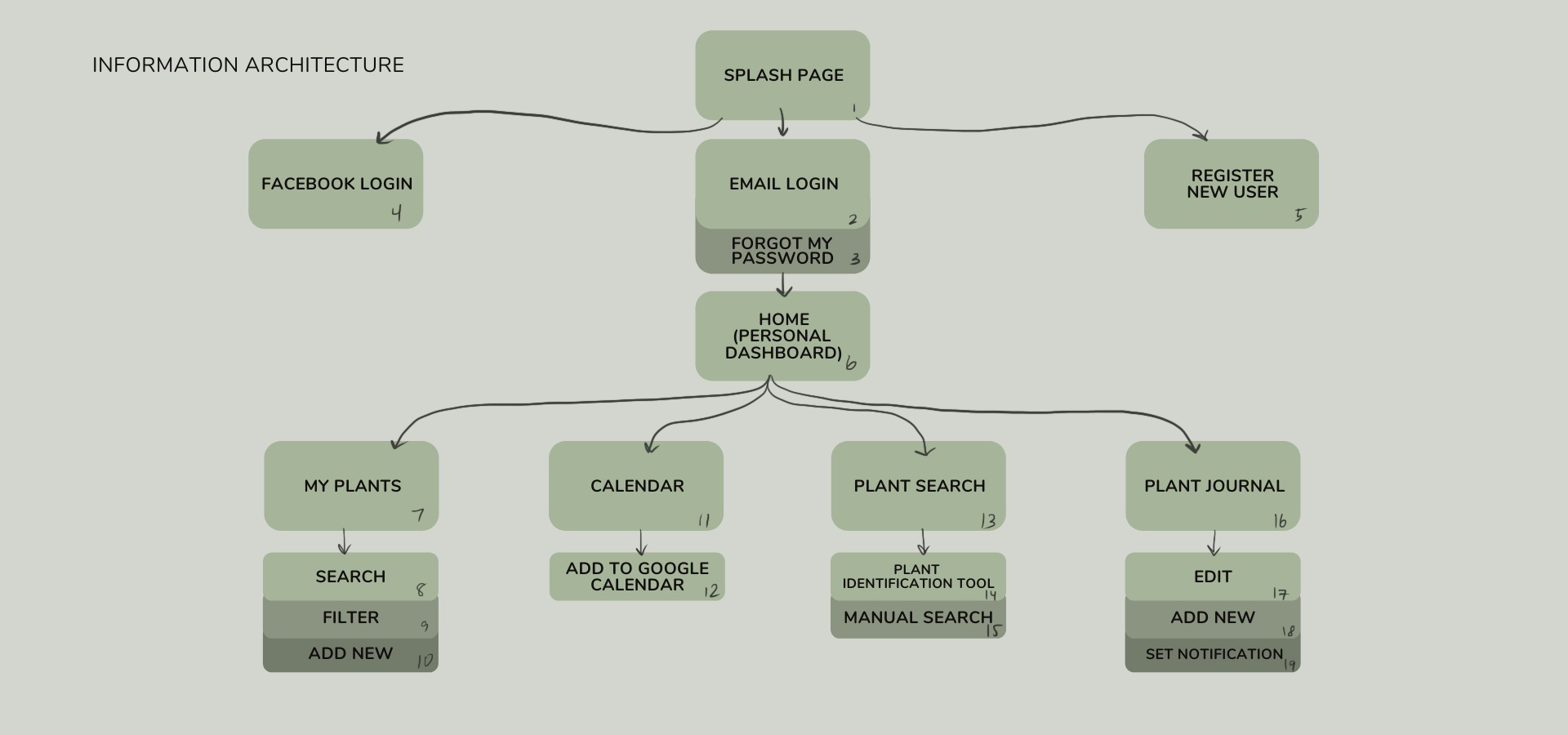
For prototyping, I began with some information architecture and low-fi wireframes:
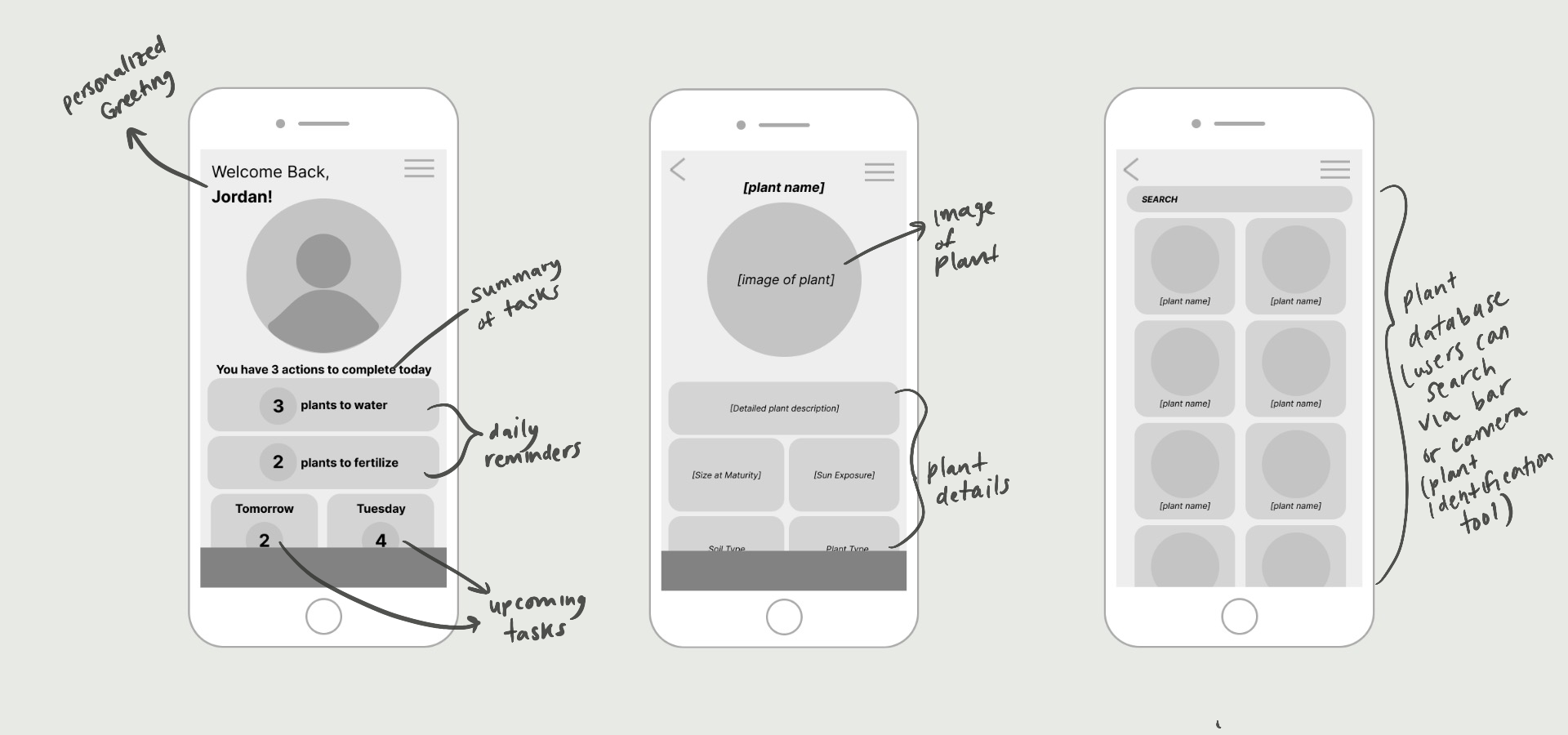
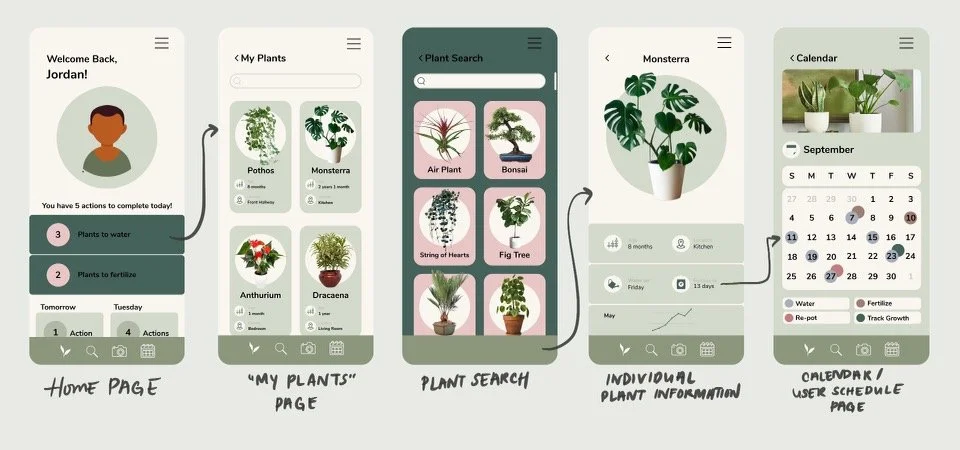
After getting some feedback from peers, I went on to design mid-fidelity wireframes. Below are 5 out of 13 final ones.
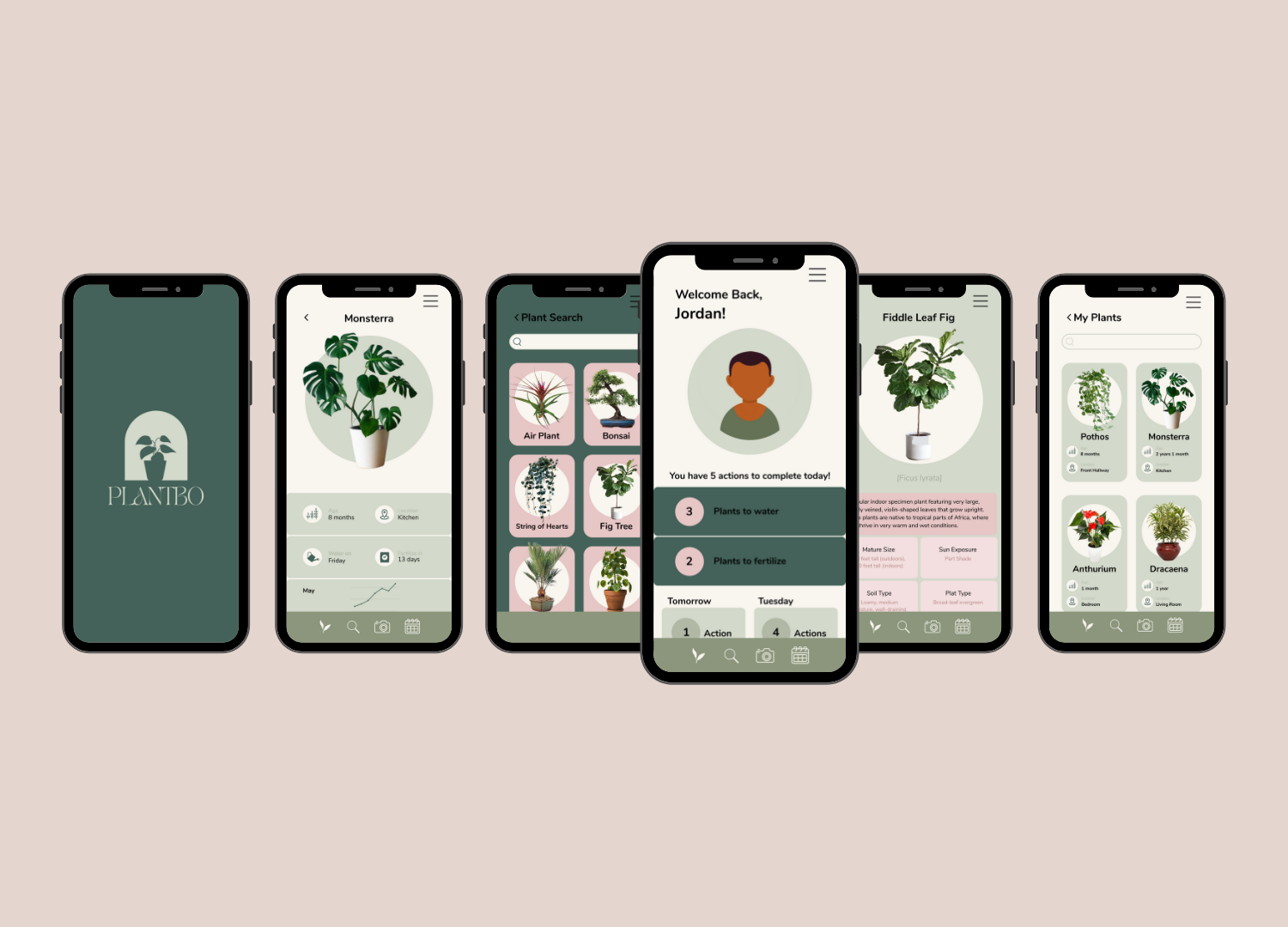
Final designs
Key Takeaways
This design challenge was a fun, and I enjoyed researching and learning more about the houseplant industry and expanding my knowledge further on the ways we can leverage functional and beautiful design to make people’s everyday lives a little bit easier. Here are a few of my takeaways:
Don't be afraid to pivot when necessary.
I went through various realizations while reviewing the iterations of this app. The more I design, the more I am able to embrace pivoting as positive and productive change. I used to see it as taking a few steps back but now I see it as failing forward — the end results will always end up better and more defined if you embrace and innovate through the trial and errors you encounter throughout the design thinking process.Details are Important - Sometimes you need to narrow your scope!
During my initial brainstorm I thought about also designing some sort of smart plant monitor that could be placed in the plant’s soil and would be directly linked to the app. As I approached the prototyping stage of the design, I realized that my combined digital/physical solution may be too broad for the scope of this project. Additionally, I reasoned that the app’s dependence on a smart monitor to provide accurate information would stray from the millennial demographic by increasing setup times and initial consumer setup costs. I ended up narrowing the scope of the project to a mobile app alone, which I felt was more feasible to implement within our timeframe, more intuitive and accessible to users, & more respectful to the targeted demographics’ needs and concerns.It is valuable to get multiple perspectives when receiving feedback.
While iterating on my designs I received feedback from not only my mentors and peers, but also from family members and friends without design backgrounds. Hearing opinions from a diverse group of people helped me to gain a deeper understanding of potential user needs.
What Would I Do Differently?
In order to capture the hypothetical experience of my solution fully, I would spend more time creating an interactive prototype to improve the understanding of the narrative. It would enable users to provide valuable feedback in a more realistic context and will be a more useful reference tool for developers after handoff.
What’s Next?
Aside from higher fidelity, a second phase of this project would include more user testing to ensure for a streamlined and effective user flow. I would also test login, account creation, and profile configuration user flows to allow for the most personalized dashboard possible.